Templates
Short Film: the same room and the same faces in every shot
How the Short Film template in Motion Fab shoots acted scenes with AI: a Blender layout of the set, character sheets, first frames, Wan 3.0 clips that speak your language, dubbing, subtitles and price.
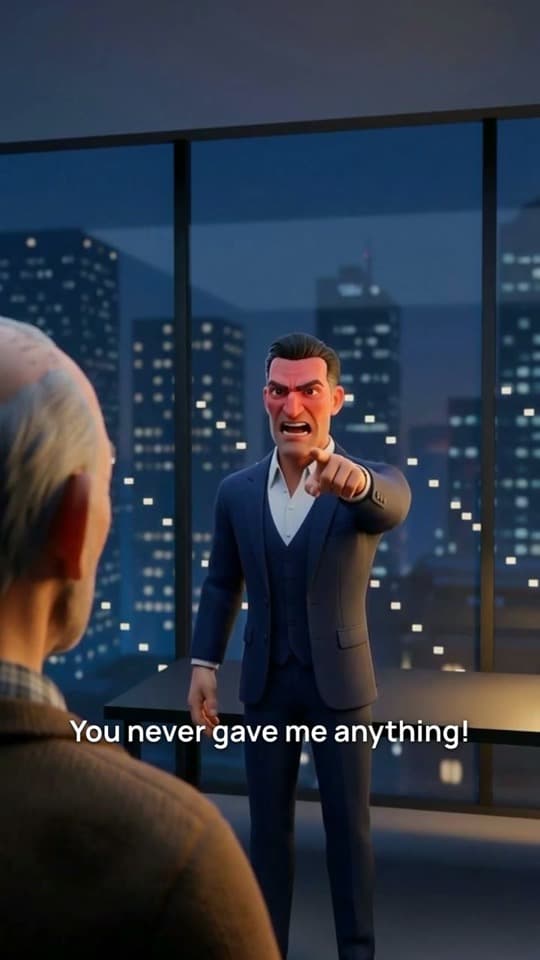
Short Film is the Motion Fab template for acted scenes: characters move, speak in your language and argue with each other. You tell the story in a few lines, and the agent shoots it shot by shot, the way a film crew works on a set.
In most AI video every shot is a separate generation, and each one gets a world of its own: the door jumps from left to right, the desk moves, the hero's jacket changes. This template works the other way round. Before generating anything, the agent builds the scene in 3D and shoots every shot from the same set.
Why the room drifts and how to stop it
A video model doesn't remember the previous clip. Give it a picture of the room as a reference and it carries over the style, not the layout: where the window is, where the door is, which side each character stands on.
Film solved this long ago. The set is built once, the actors are placed, and every camera stays on one side of the line between them: the 180° rule. The audience never gets lost — one character always looks right, the other left. The template does the same, only its set lives in Blender.
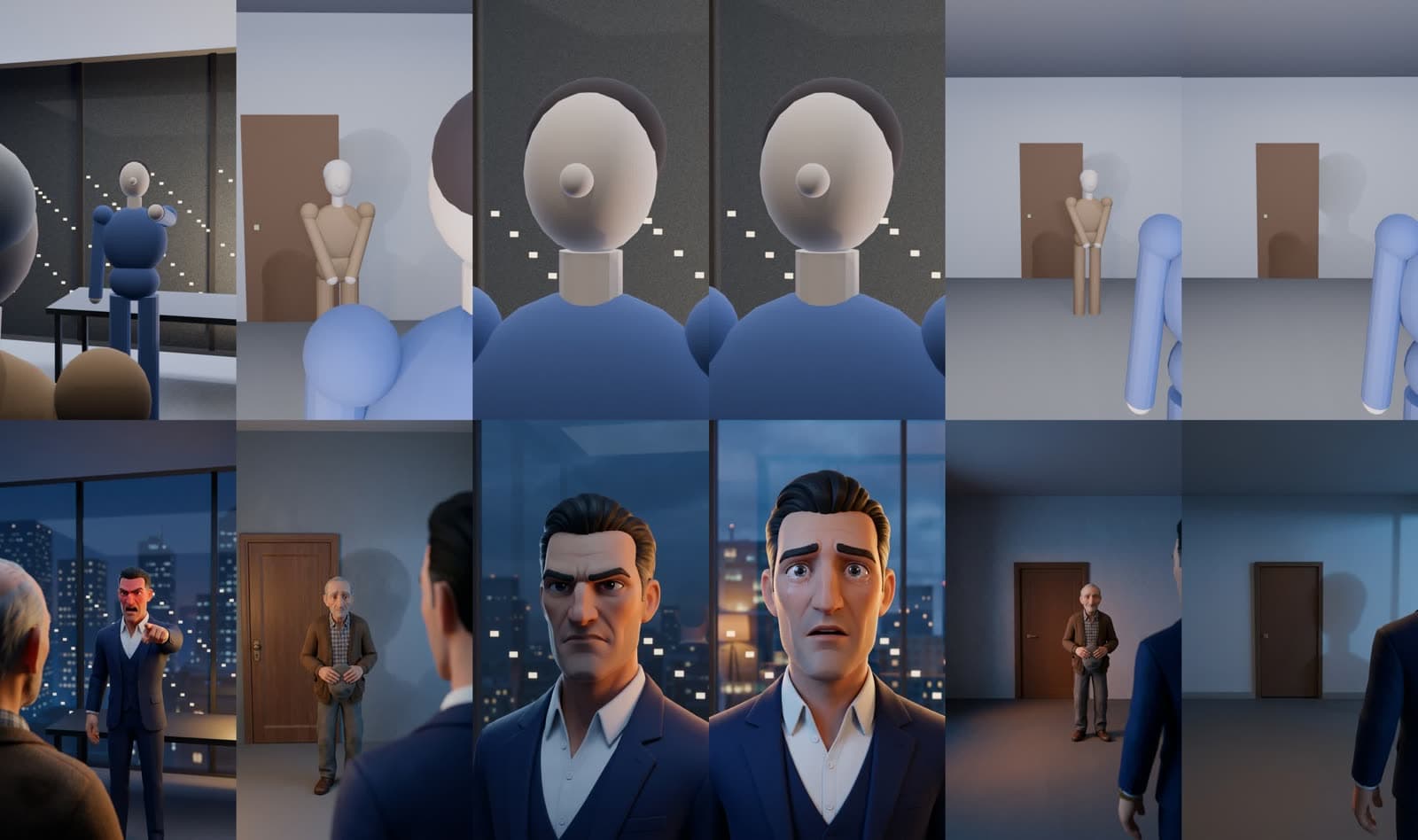
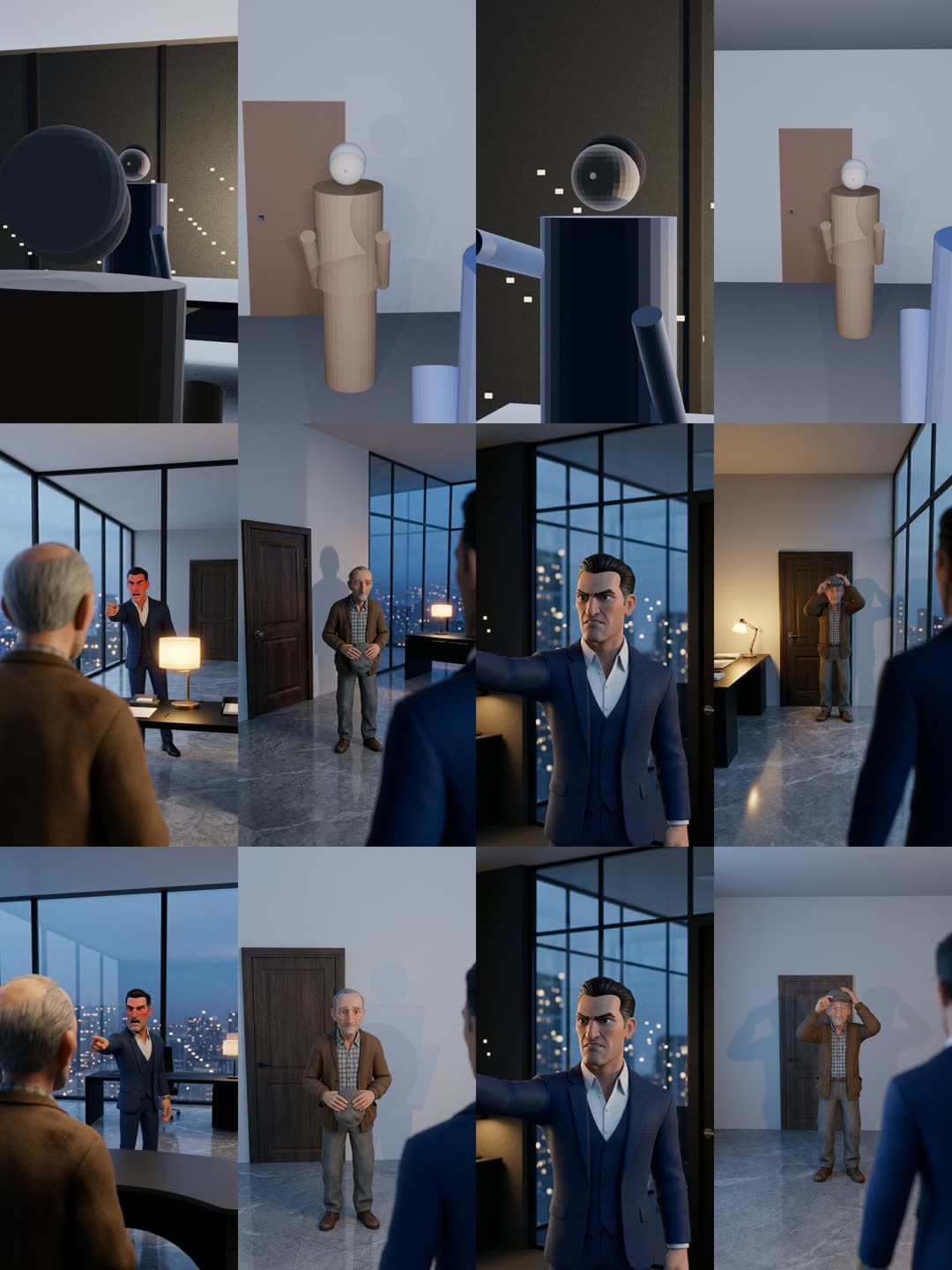
The top row is the layout renders, the bottom row is the finished first frames. The door, the glass wall with the city and the desk stay where they are in every shot: geometry sets them, not a description in words.
How a film is made
1. The sketch: the story and a grey set
The agent writes the film down as data: characters, place, light, shots in order, lines and pauses. Each shot runs 5–12 seconds with one face on screen: in a conversation the camera looks over one character's shoulder at the other, and the one facing it speaks.
Then the agent builds the set: the room, windows and doors, furniture, light and a mannequin for each character, each in a colour of its own. The mannequins take the poses of the shot: pointing, holding a cap, sitting, kneeling, lying down. If a character is a dog, a cat, a horse or a fairy-tale creature, it gets a mannequin too.
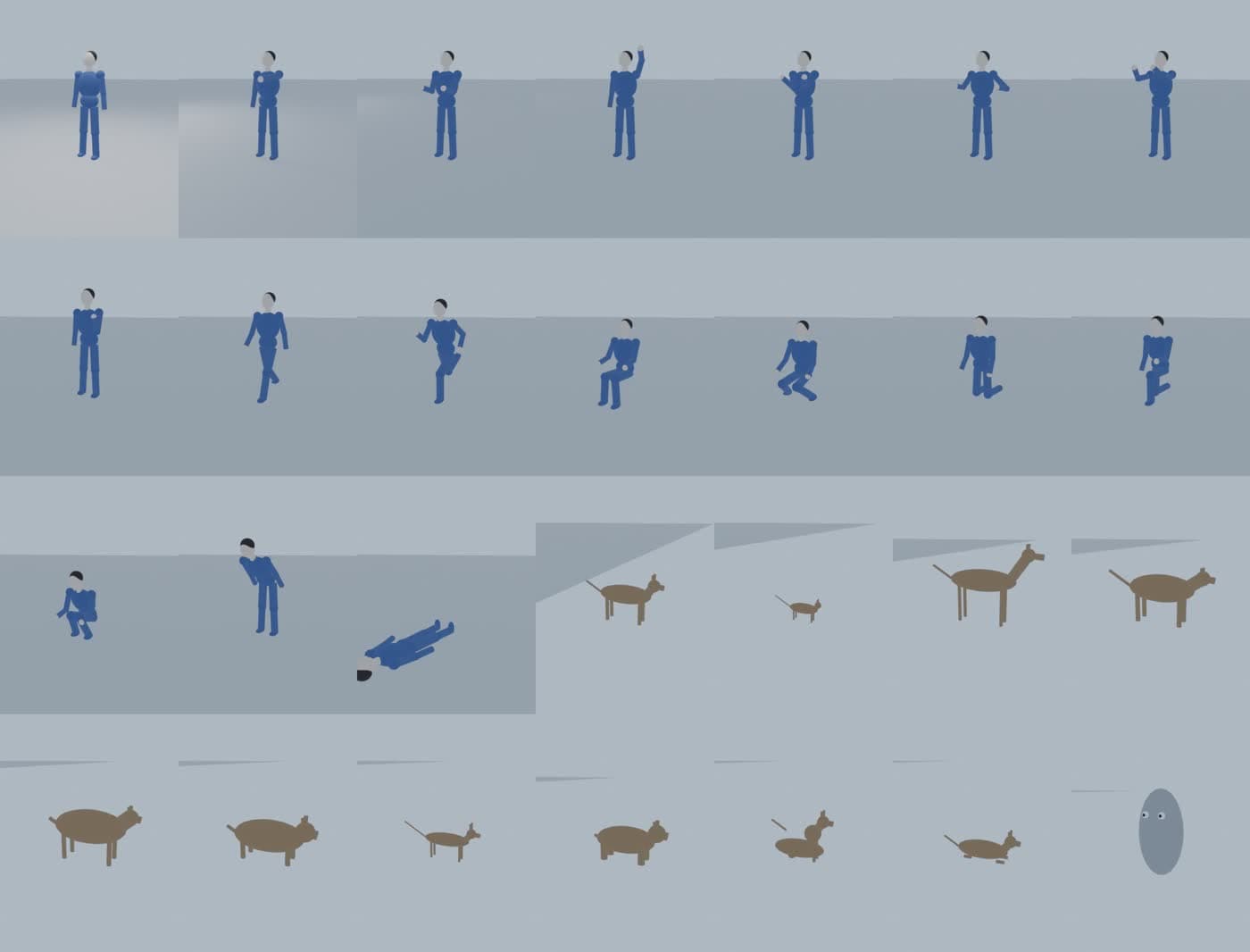
Every camera follows the 180° rule. The agent checks the top view and a sheet of all shots and moves cameras until every shot frames what was planned. Rendering four shots takes a few seconds.
Then comes the key part: the layout moves. A character walks to the door, sits down, turns, the camera pushes in — and the whole film plays as a grey animatic with subtitles. You see the pacing and the staging before any credits go into generation.
Stop 1. The agent lists the shots — who is in frame, what happens, which line — and asks whether the story, the shots and the words are right.
2. Characters and frames
For every character the agent draws a character sheet: front, profile and back, in the film's style. The second sheet is drawn with the first as input so the style matches.
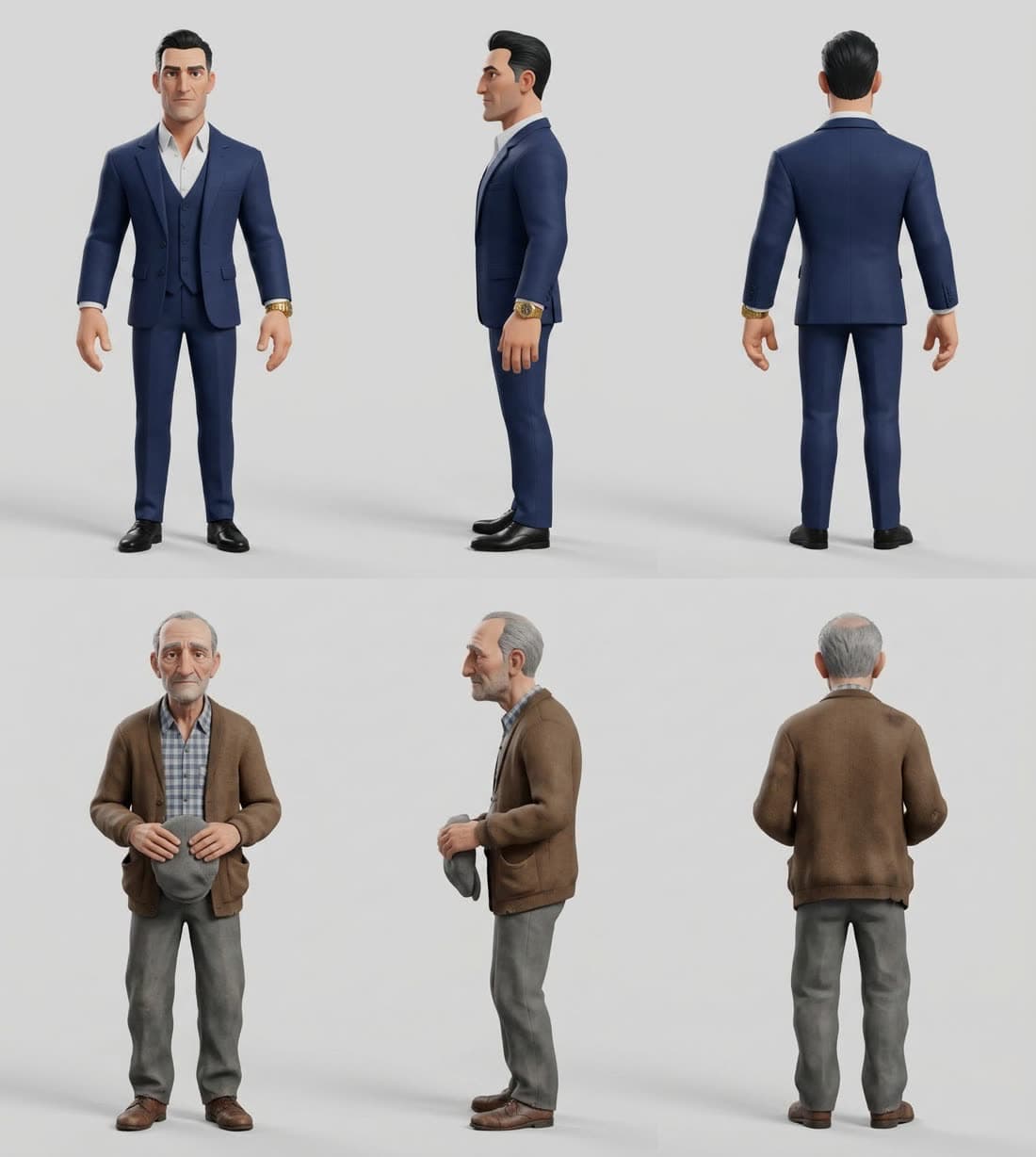
If the characters should look like real people, attach their photos. A photo only goes into the character sheet — it is never pasted into a frame; the face reaches the film through the sheet.
Then every layout render is repainted into the shot's first frame, with the render and the characters' sheets as input. Mannequins become characters, grey walls become marble and glass, and the layout stays the same.
Stop 2. The agent shows the characters and the frames and says what the clips will cost before they are made.
3. Clips, speech and sound
Wan 3.0 brings every frame to life from the first frame, a second-by-second description of the action and the line. The character says the text themselves — lips, tone and pauses come in one clip, no separate voice-over needed. Clips are made in parallel, 2–4 minutes each.
The agent doesn't take a clip on trust. It transcribes every line and compares it with the script: if less than 90% of the words are heard, or the model spoke another language, the shot is made again with another seed. Then the agent looks at the frames of every clip: the same place, the same faces, nothing appearing out of nowhere.
Music goes on last: one quiet track for the film, from the shot where the mood turns. The clips themselves carry no music.
What we learned from the trial
The template grew out of a trial film about a father and a son, with Russian lines and a penthouse at dusk. Two findings from it became the template's rules.
The prompt describes only what the camera sees. In the first version we described the whole room for every frame. The model dutifully painted the glass wall and the desk where there were none: the desk on the right in one shot, on the left in another. In the second version the prompt lists only what falls into that frame and forbids adding anything the render doesn't show. The room lined up.
The agent no longer writes this prompt by hand: the set casts rays through each frame and reports what every camera sees, and the repaint prompt is built from that report.
The last frame holds the camera. The father's shot said “locked-off camera” in its prompt, yet the camera still pushed in. When the same frame was also given to the model as the last one, the camera stayed put and the speech stayed the same.
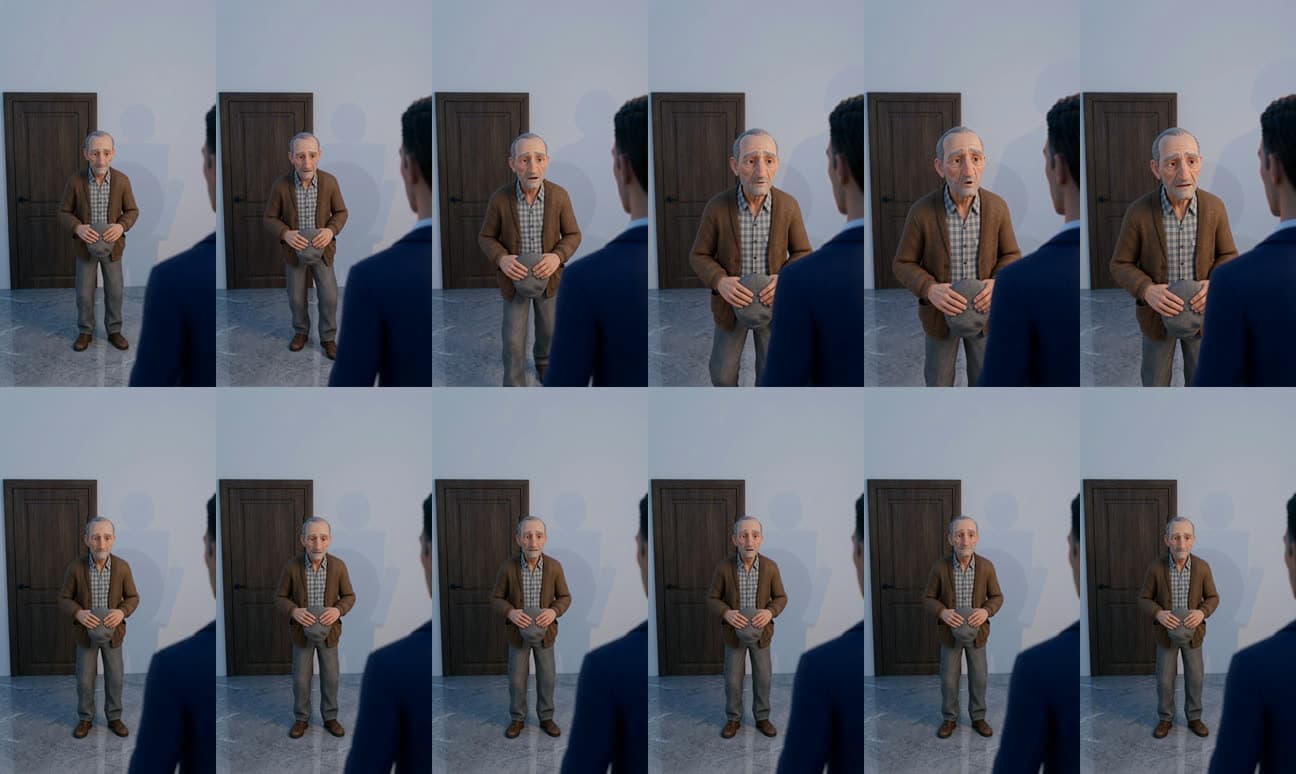
That's why every shot in the template has a last frame. A shot that ends the way it began repeats its first frame at the end. When something changes — a character leaves, tears appear — the last frame is painted from the end of the animatic:
AnimaticThe father puts on his cap and leaves, the door closes
Finished shotFirst and last frames come from the animatic
A face that changesThe last frame sets the tears at the end
Memories over a line
What the characters talk about can be shown. In the demo the son shouts that he earned his first dollar shining shoes, and in the middle of the sentence a sepia memory appears: a boy on a poor street being handed a dollar. The son's voice carries on underneath.
Such a shot is drawn from a description rather than from the set, and it can include your characters. The agent places it exactly on the words it illustrates.
Voices: from the clip or dubbed
- The clip's own voice is the cheapest: the video model says the line itself. But the voice is born anew in every clip, so each character speaks in one shot only, with all their words there.
- Dubbing is for a conversation back and forth. Every character keeps one voice for the whole film, picked from the voice library in the film's language. The clip still says the line for the lips and timing, then its voice is replaced: the room's background stays, and each phrase of the new voice lands where the clip says it.
Panels and buttons
- Shots — another take of a shot, a changed line, a new frame.
- Characters — change a character's look or voice.
- Subtitles — show or hide, small, medium or large, low or in the middle.
- Sound — compose music for free, use your own track or keep only the clips' sound; mood and volume.
The Continue the story button suggests one more scene after the last shot with the same characters and waits for your yes.
Changes cost different amounts. Subtitles, music and the order of shots change for free. A new line means a new clip of that shot. A new look means a new sheet, plus that character's frames and clips. A new place means a new layout and everything shot in it.
How to write a good prompt
Describe:
- The story in two or three lines: who, where, how it ends.
- The characters: age, face, hair, clothes. You can attach photos.
- The place and the light: where the window and the door are, what's outside, where the light comes from.
- The shots in order: who faces the camera, who speaks and what exactly — lines in quotes.
- A memory, if you want one, and on which words to show it.
- The look and the music.
For example:
Make a 30-second vertical short film in a stylized 3D animated look, the characters drawn after my photos if I add them. A small warm kitchen in the afternoon: a window over the sink on one side, an old wooden cupboard on the other. A grandchild of twenty, flour on the hands, holds a phone and laughs: "I followed your recipe exactly, Grandma, and it still tastes nothing like yours!" Over the grandchild's shoulder, the grandmother takes a pinch from a small tin and drops it into the bowl: "That's because the recipe is missing one thing. Me." Close-up of the grandchild tasting and closing their eyes. They knead the dough together, four hands in one bowl. Gentle acoustic guitar from the grandmother's line, subtitles.
This prompt and three more — “The first dollar”, “The last bus” and a job-interview comedy — come with the template as ready recipes.
Keep the pace: no more than 2.5 words a second, about 25 words for a ten-second shot. The more characters talk, the better dubbing fits.
Formats and price
- Frame: vertical 9:16 by default, also 16:9 and 1:1. Usually 20–60 seconds, 3–7 shots.
- Language: lines are written in the language of your story. In the trial, Russian lines came out word for word.
- Export: MP4 with subtitles and music.
- Price: the template is part of PRO. The sketch and the animatic spend no credits on generation. A character sheet or a frame costs about 4 credits, a 720p clip 10 credits a second. The demo film's clips took 350 credits and its pictures about 55 more, plus the agent's work. PRO includes 1,000 credits a month.
How it differs from the other templates
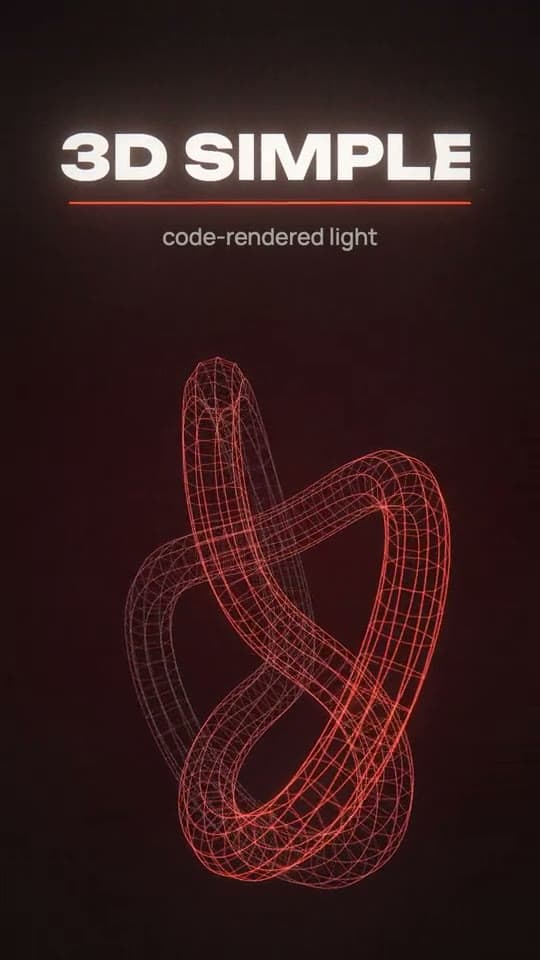
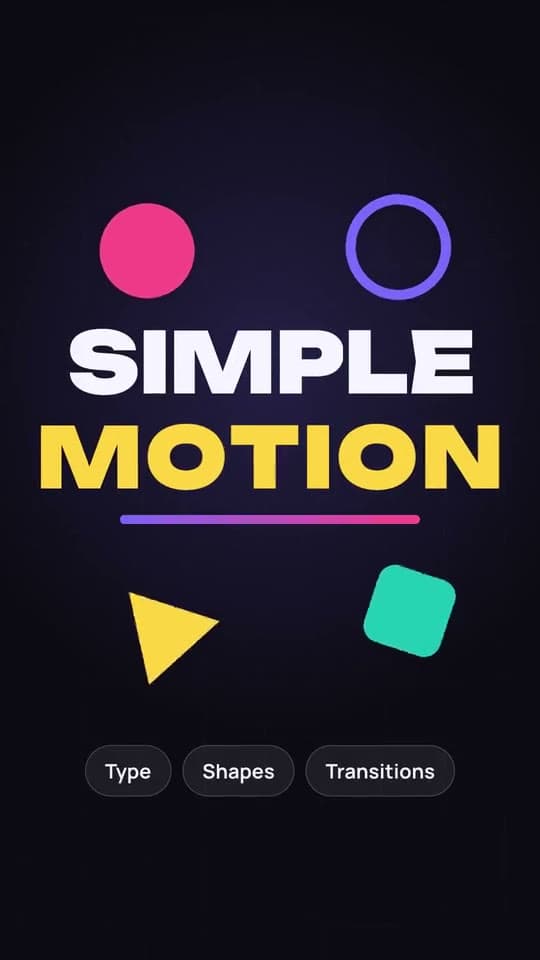
Simple Motion and 3D Simple draw graphics in code: text, shapes, light and effects. Short Film shoots people acting out a scene. Pick it when you need a plot, dialogue and characters you recognise from shot to shot.
Describe the video. The agent animates it.
Motion graphics from your description in chat: kinetic type, 3D effects and sound.